NoSQL Injection
intermediateReferences:
- https://www.mongodb.com/resources/basics/json-and-bson
- https://portswigger.net/web-security/nosql-injection#nosql-syntax-injection
- https://portswigger.net/bappstore/db57ecbe2cb7446292a94aa6181c9278
- https://www.mongodb.com/docs/manual/reference/operator/query-comparison/
NoSQL injection is a vulnerability where an attacker is able to interfere with the queries that an application makes to a NoSQL database.
Example : -> NoSQL Injection is similar to SQL injection but targets NoSQL databases like MongoDB, CouchDB, etc. These databases don’t use SQL, but they still parse queries based on user input — and that’s where injection can happen. ###
# Basic Concepts You Need
-
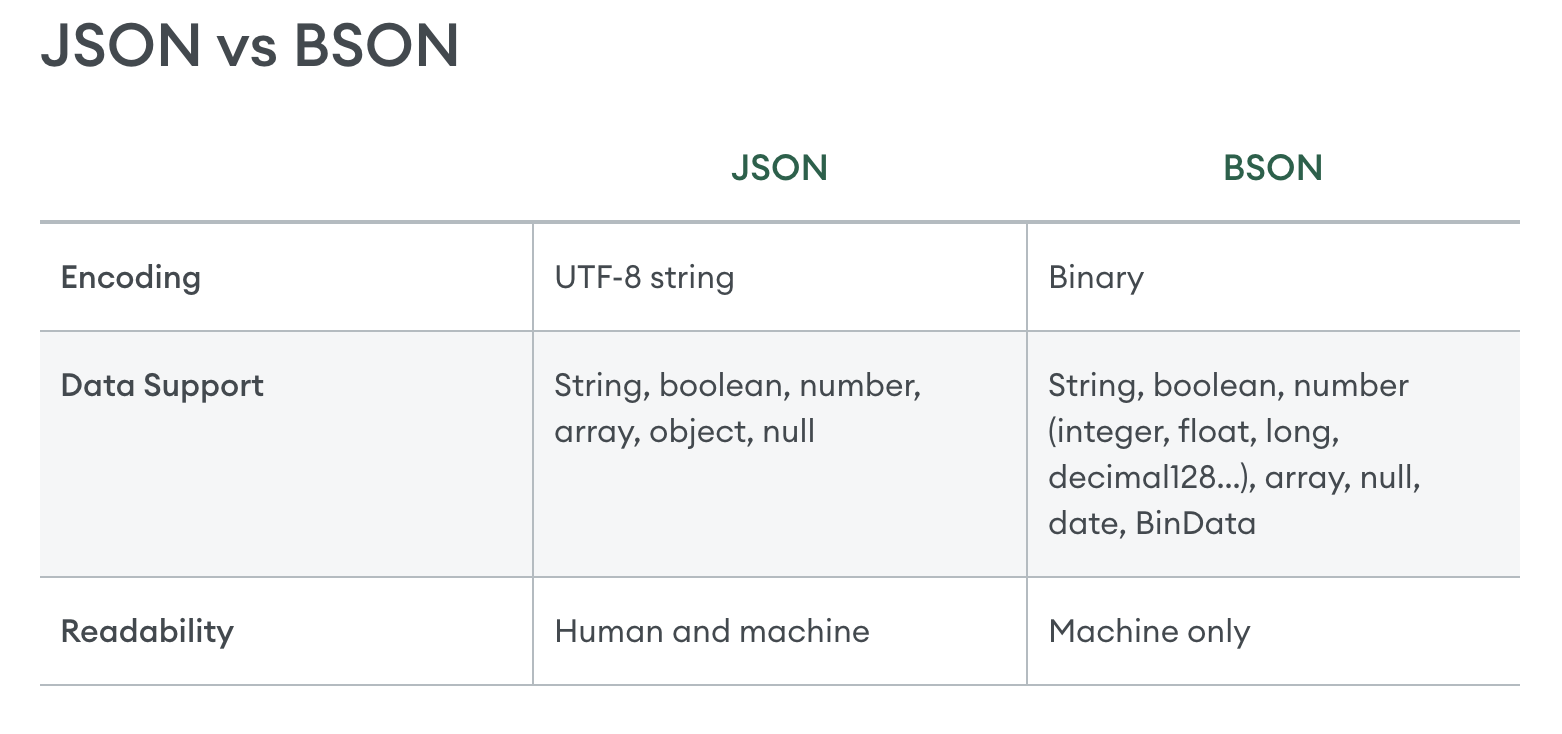
NoSQL stores data in formats like JSON.
-
In MongoDB, queries look like:
db.users.find({ username: "admin", password: "pass" }) -
But if user input isn’t sanitized, it can become:
db.users.find({ username: { "$ne": null }, password: { "$ne": null } })
%% - db → Refers to the current MongoDB database.
- `users` → The **collection** (like a table in SQL) where user data is stored.

- `find({...})` → A **query function** that looks for matching documents (like rows in SQL).

**This returns all users!**
%%%
Common NoSQL Injection Payloads (for MongoDB)
Login Bypass
If a login form is vulnerable, try:
-
username=admin&password[$ne]=1$nestands for “not equal” in MongoDB queries. -
username[$ne]=1&password[$ne]=1
This makes the query:
{ username: { $ne: 1 }, password: { $ne: 1 } }
Which matches any user.
Why $ne is used in NoSQL Injection
Attackers use $ne to bypass login like this:
{ "username": { "$ne": null }, "password": { "$ne": null } }
————- NoSQL injection may enable an attacker to:
- Bypass authentication or protection mechanisms.
- Extract or edit data.
- Cause a denial of service.
- Execute code on the server.
NoSQL databases
NoSQL databases store and retrieve data in a format other than traditional SQL relational tables. They are designed to handle large volumes of unstructured or semi-structured data. As such they typically have fewer relational constraints and consistency checks than SQL, and claim significant benefits in terms of scalability, flexibility, and performance.
This may be a custom query language or a common language like XML or JSON.
NoSQL database models
Some common types of NoSQL databases include:
- Document stores - These store data in flexible, semi-structured documents. They typically use formats such as JSON, BSON, and XML, and are queried in an API or query language. Examples include MongoDB and Couchbase.
- Key-value stores - These store data in a key-value format. Each data field is associated with a unique key string. Values are retrieved based on the unique key.Examples include Redis and Amazon DynamoDB.
- Wide-column stores - These organize related data into flexible column families rather than traditional rows. Examples include Apache Cassandra and Apache HBase.
- Graph databases - These use nodes to store data entities, and edges to store relationships between entities. Examples include Neo4j and Amazon Neptune.
Types of NoSQL injection
There are two different types of NoSQL injection:
- Syntax injection - This occurs when you can break the NoSQL query syntax, enabling you to inject your own payload. The methodology is similar to that used in SQL injection. However the nature of the attack varies significantly, as NoSQL databases use a range of query languages, types of query syntax, and different data structures.
- Operator injection - This occurs when you can use NoSQL query operators to manipulate queries.
NoSQL syntax injection
If you know the API language of the target database, use special characters and fuzz strings that are relevant to that language. Otherwise, use a variety of fuzz strings to target multiple API languages.
Detecting syntax injection in MongoDB
To test whether the input may be vulnerable, submit a fuzz string in the value of the category parameter. An example string for MongoDB is:
'"`{ ;$Foo} $Foo \xYZ
Note
NoSQL injection vulnerabilities can occur in a variety of contexts, and you need to adapt your fuzz strings accordingly. Otherwise, you may simply trigger validation errors that mean the application never executes your query.
In this example, we’re injecting the fuzz string via the URL, so the string is URL-encoded. In some applications, you may need to inject your payload via a JSON property instead. In this case, this payload would become '\"`{\r;$Foo}\n$Foo \\xYZ\u0000.
Determining which characters are processed
To determine which characters are interpreted as syntax by the application, you can inject individual characters. For example, you could submit ', which results in the following MongoDB query:
this.category == '''
If this causes a change from the original response, this may indicate that the ' character has broken the query syntax and caused a syntax error. You can confirm this by submitting a valid query string in the input, for example by escaping the quote:
this.category == '\''
If this doesn’t cause a syntax error, this may mean that the application is vulnerable to an injection attack.
Confirming conditional behavior
After detecting a vulnerability, the next step is to determine whether you can influence boolean conditions using NoSQL syntax.
To test this, send two requests, one with a false condition and one with a true condition. For example you could use the conditional statements ' && 0 && 'x and ' && 1 && 'x as follows:
https://insecure-website.com/product/lookup?category=fizzy'+%26%26+0+%26%26+'xhttps://insecure-website.com/product/lookup?category=fizzy'+%26%26+1+%26%26+'x
If the application behaves differently, this suggests that the false condition impacts the query logic, but the true condition doesn’t. This indicates that injecting this style of syntax impacts a server-side query.
Overriding existing conditions
Now that you have identified that you can influence boolean conditions, you can attempt to override existing conditions to exploit the vulnerability. For example, you can inject a JavaScript condition that always evaluates to true, such as '||'1'=='1:
https://insecure-website.com/product/lookup?category=fizzy%27%7c%7c%27%31%27%3d%3d%27%31
This results in the following MongoDB query:
this.category == 'fizzy'||'1'=='1'
As the injected condition is always true, the modified query returns all items. This enables you to view all the products in any category, including hidden or unknown categories.
You could also add a null character after the category value. MongoDB may ignore all characters after a null character. This means that any additional conditions on the MongoDB query are ignored.
For example, the query may have an additional this.released restriction:
this.category == 'fizzy' && this.released == 1
If MongoDB ignores all characters after the null character, this removes the requirement for the released field to be set to 1. As a result, all products in the fizzy category are displayed, including unreleased products.
NoSQL operator injection
-> NoSQL databases often use query operators, which provide ways to specify conditions that data must meet to be included in the query result.
Examples of MongoDB query operators include:
$where- Matches documents that satisfy a JavaScript expression.$ne- Matches all values that are not equal to a specified value.$in- Matches all of the values specified in an array.$regex- Selects documents where values match a specified regular expression.
Submitting query operators
In JSON messages, you can insert query operators as nested objects. For example, {"username":"wiener"} becomes {"username":{"$ne":"invalid"}}.
For URL-based inputs, you can insert query operators via URL parameters. For example, username=wiener becomes username[$ne]=invalid. If this doesn’t work, you can try the following:
- Convert the request method from
GETtoPOST. - Change the
Content-Typeheader toapplication/json. - Add JSON to the message body.
- Inject query operators in the JSON.
EXTENSION: Content Type Converter
Detecting operator injection in MongoDB
Consider a vulnerable application that accepts a username and password in the body of a POST request:
{"username":"wiener","password":"peter"}
Test each input with a range of operators. For example, to test whether the username input processes the query operator, you could try the following injection:
{"username":{"$ne":"invalid"},"password":"peter"}
If the $ne operator is applied, this queries all users where the username is not equal to invalid.
If both the username and password inputs process the operator, it may be possible to bypass authentication using the following payload:
{"username":{"$ne":"invalid"},"password":{"$ne":"invalid"}}
This query returns all login credentials where both the username and password are not equal to invalid. As a result, you’re logged into the application as the first user in the collection.
To target an account, you can construct a payload that includes a known username, or a username that you’ve guessed. For example:
{"username":{"$in":["admin","administrator","superadmin"]},"password":{"$ne":""}}
Exploiting syntax injection to extract data
In many NoSQL databases, some query operators or functions can run limited JavaScript code, such as MongoDB’s $where operator and mapReduce() function. This means that, if a vulnerable application uses these operators or functions, the database may evaluate the JavaScript as part of the query. You may therefore be able to use JavaScript functions to extract data from the database.
Consider a vulnerable application that allows users to look up other registered usernames and displays their role. This triggers a request to the URL:
https://insecure-website.com/user/lookup?username=admin
This results in the following NoSQL query of the users collection:
{"$where":"this.username == 'admin'"}
As the query uses the $where operator, you can attempt to inject JavaScript functions into this query so that it returns sensitive data. For example, you could send the following payload:
admin' && this.password[0] == 'a' || 'a'=='b
This returns the first character of the user’s password string, enabling you to extract the password character by character.
You could also use the JavaScript match() function to extract information. For example, the following payload enables you to identify whether the password contains digits:
admin' && this.password.match(/\d/) || 'a'=='b